Aller au contenu principal
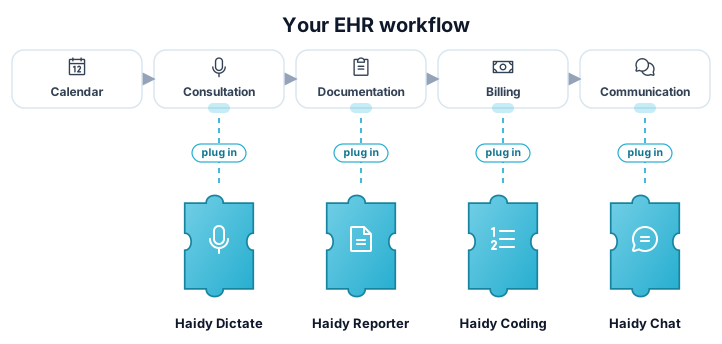
Les produits Haidy s'intègrent dans votre flux de travail comme des pièces de puzzle

Intégrez Haidy dans votre logiciel de santé

Découvrez comment intégrer Haidy dans votre logiciel de santé et offrir à vos clients des workflows assistés par IA en toute simplicité.

Deux façons d'intégrer

Choisissez le modèle d'intégration adapté à votre système et à votre flux de travail.

Recommandé
Votre logicielHaidy UIHaidy Appfacultatif1Jump-off2Retour vers l'app

Web jump-off

Votre système et Haidy synchronisent les données en arrière-plan, tandis que l'utilisateur est redirigé vers l'interface Haidy pour enregistrer et vérifier les consultations. Une fois l'action terminée, l'utilisateur est redirigé vers votre application.

  • Aucun enregistrement audio à développer ou à maintenir
  • Rapports correctement affichés par l'interface Haidy, références incluses
  • L'intégration la plus rapide et la plus simple à maintenir
En savoir plus sur le jump-off
Votre logicielHaidy APIREST

Points de terminaison API

Accès programmatique complet à l'API Haidy pour les systèmes qui intègrent le flux de travail eux-mêmes : transcription, génération de rapports et codage ICD-10.

  • Accès REST direct à chaque produit
  • Contrôle total de l'expérience utilisateur
  • L'audio et l'affichage des rapports sont à votre charge
Parcourir la référence API

Comment fonctionne l'accès

L'API Haidy n'est pas sous licence par partenaire d'intégration. L'accès se fait par utilisateur final.

1

Vos utilisateurs s'inscrivent sur Haidy

Les utilisateurs finaux créent un compte Haidy sur haidy.ch et choisissent un abonnement payant.

2

Ils reçoivent leur propre clé API

Chaque utilisateur reçoit sa propre clé API dans le cadre de son abonnement. Il n'y a pas de licence distincte au niveau du partenaire.

3

Votre intégration utilise leur clé

Votre produit authentifie les appels à l'API Haidy avec la clé de l'utilisateur final : l'accès est donc toujours lié à un compte valide.

Chaque utilisateur final qui utilise un produit intégré à Haidy a besoin d'une clé API valide. Les utilisateurs s'inscrivent sur haidy.ch, choisissent un abonnement payant et reçoivent des clés API qu'ils peuvent utiliser avec votre intégration.

Pour bien démarrer

Dernières notes de version

Les nouveautés de Haidy.

v2.5.9 Release Notes

25 septembre 2026

This release lets you give recordings a title and tags, makes report ratings editable, and brings improvements to dictation and analytics, along with a number of bug fixes.

What's New

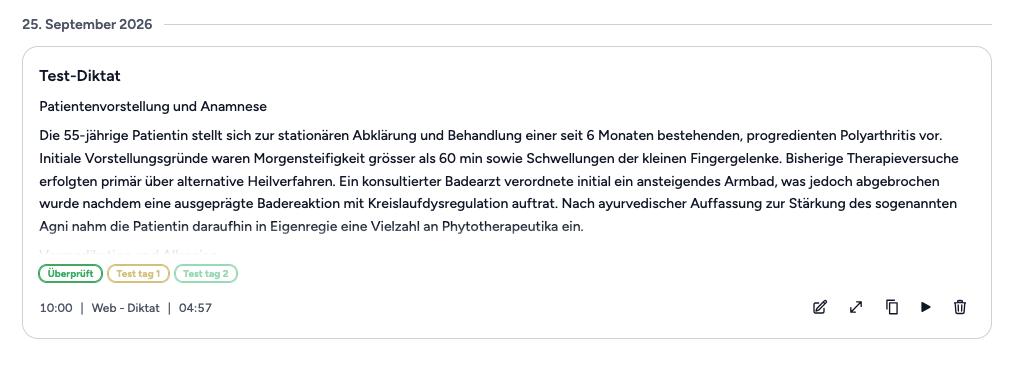
  • UI API Titles and tags for recordings: Recordings in the dictation history can now be given a title and labelled with your institution's tags, and the history can be searched by title — so a recording is easy to Naming and tagging a recording in the dictation history
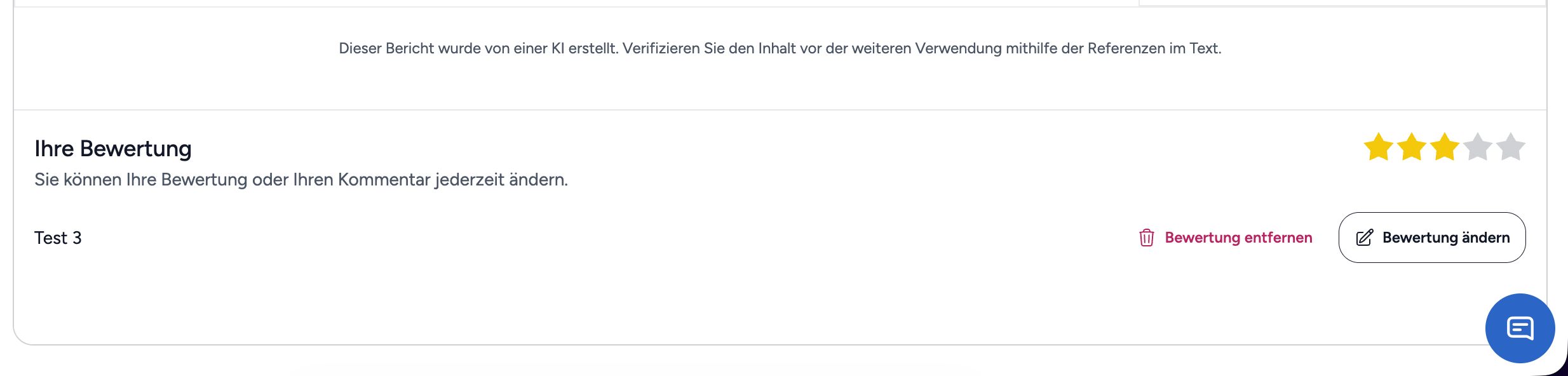
  • UI Editing a report rating: A rating that was already submitted can now be corrected afterwards, or removed again. Changing a report rating
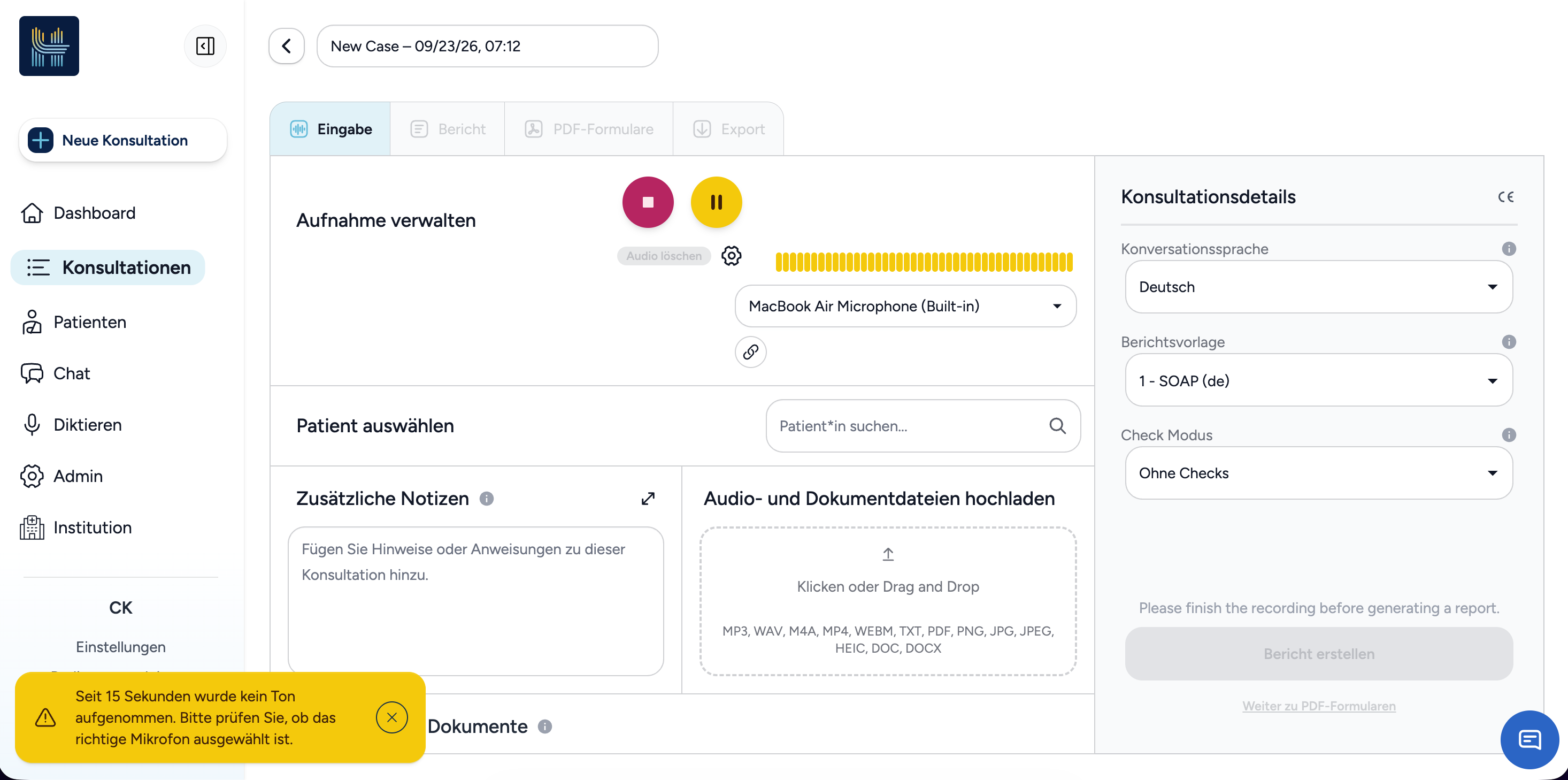
  • UI Warning when the microphone picks up no sound: While recording a consultation, Haidy now points out when no sound has been picked up for a while, so a muted or wrong microphone is noticed early. Warning that no sound is being picked up
Improvements

  • UI Dictation history: Every entry now shows how long the recording lasted and can be opened in the editor to continue working with it.

  • UI API External recordings in consultations: Selecting a recording made with an external microphone now links it to the consultation instead of transcribing it a second time, so it keeps its transcript and no longer looks unused.

  • UI API Audio playback: When playback fails because of the audio output device, Haidy now says so instead of reporting the recording as no longer available, and recordings are delivered through Haidy's own access check.

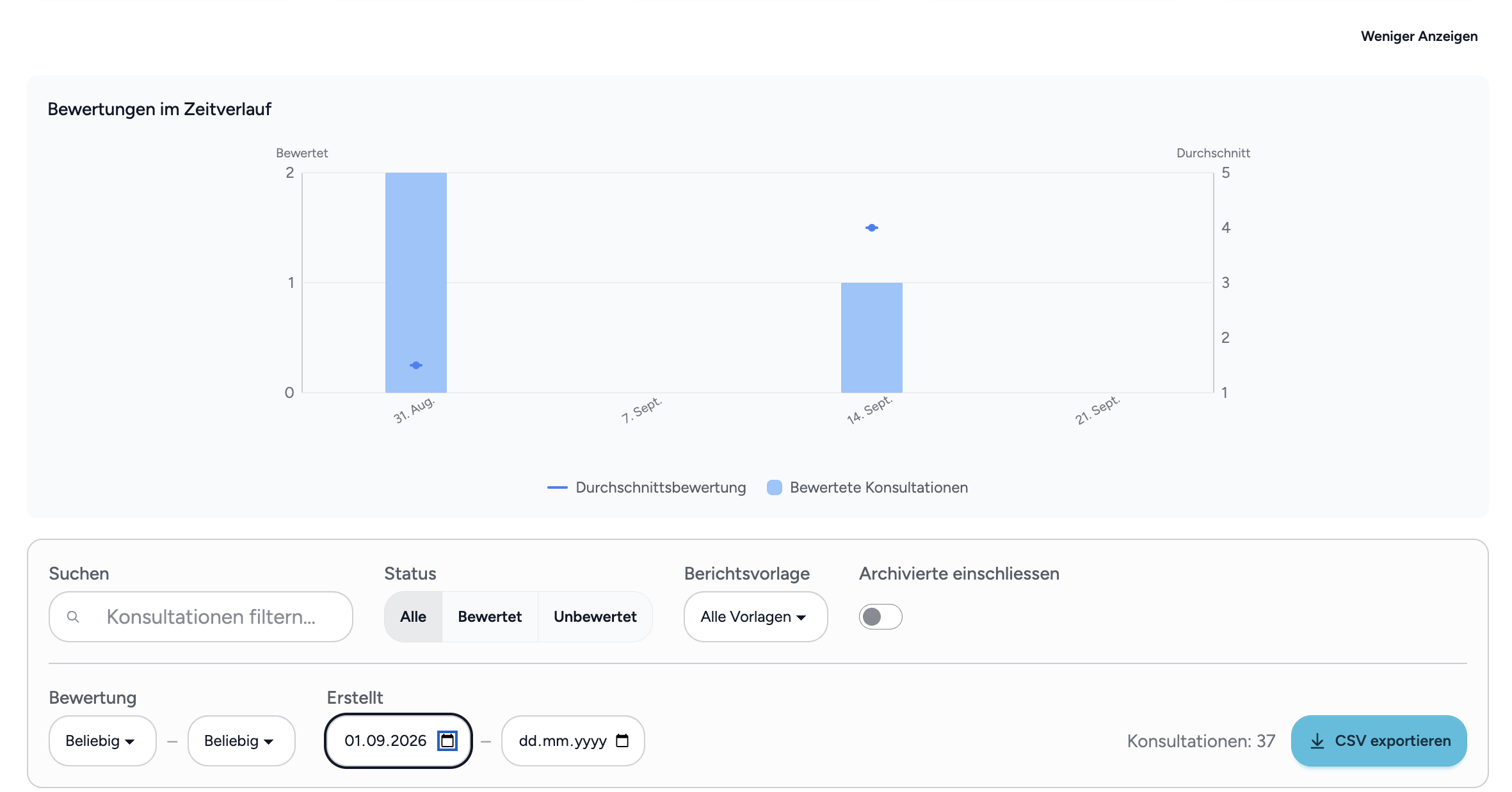
  • UI Ratings over time: The ratings chart in institution analytics no longer draws the average across months without any consultations, and the analytics table has been tidied up. Ratings over time without gaps
  • UI Transcription and report progress: Transcription now shows a progress bar as soon as it starts, and report generation shows a subtle animation while it runs.

  • API Security improvements: We hardened the security of our platform to further reduce the risk of vulnerability exploits.

Bug Fixes

  • UI API Source references in reports: References are now also placed in report passages that contain formatting.

  • UI Writing style: The writing style selected for report generation is now saved correctly.

  • UI API Various smaller fixes: Several smaller text and display issues have been fixed.