Zum Hauptinhalt springen
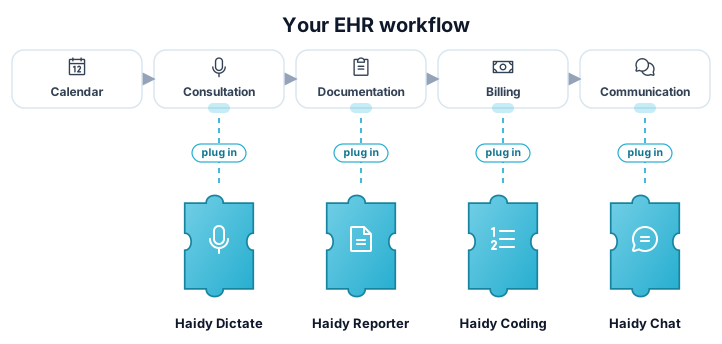
Haidy-Produkte fügen sich wie Puzzleteile in Ihre Praxissoftware ein

Integrieren Sie Haidy in Ihre Software im Gesundheitswesen

Erfahren Sie, wie Sie Haidy in Ihre Software im Gesundheitswesen integrieren und Ihren Kunden mühelos KI-gestützte Workflows ermöglichen.

Zwei Integrationswege

Wählen Sie das Integrationsmodell, das zu Ihrem System und Workflow passt.

Empfohlen
Ihre AppHaidy UIHaidy Appoptional1Jump-off2Zurückleitung

Web-Jump-off

Ihr System und Haidy synchronisieren die Daten im Hintergrund, während der Benutzer zur Haidy-UI weitergeleitet wird, um Konsultationen aufzunehmen und zu prüfen. Nach Abschluss wird der Benutzer zurück zu Ihrer Anwendung geleitet.

  • Keine Audio-Aufnahme zu entwickeln oder zu warten
  • Berichte werden von der Haidy-UI korrekt dargestellt, inklusive Referenzen
  • Am schnellsten integriert und am wartungsärmsten
Mehr über Jump-off erfahren
Ihre AppHaidy APIREST

API-Endpunkte

Vollständiger programmatischer Zugriff auf die Haidy API für Systeme, die den Workflow selbst einbetten: Endpunkte für Transkription, Berichtserstellung und ICD-10-Kodierung.

  • Direkter REST-Zugriff auf jedes Produkt
  • Volle Kontrolle über das Endbenutzer-Erlebnis
  • Audio-Aufnahme und Berichtsdarstellung liegen in Ihrer Verantwortung
API-Referenz entdecken

So funktioniert der Zugang

Die Haidy API wird nicht pro Integrationspartner lizenziert. Der Zugang erfolgt pro Endbenutzer.

1

Ihre Benutzer registrieren sich bei Haidy

Endbenutzer erstellen ein Haidy-Konto auf haidy.ch und wählen ein kostenpflichtiges Abonnement.

2

Sie erhalten ihren eigenen API-Schlüssel

Jeder Benutzer erhält im Rahmen seines Abonnements einen eigenen API-Schlüssel. Es gibt keine separate Lizenzierung auf Partnerebene.

3

Ihre Integration verwendet diesen Schlüssel

Ihr Produkt authentifiziert Haidy-API-Aufrufe mit dem Schlüssel des Endbenutzers – der Zugang ist also immer an ein gültiges Konto gebunden.

Jeder Endbenutzer, der ein mit Haidy integriertes Produkt nutzt, benötigt einen gültigen API-Schlüssel. Benutzer registrieren sich auf haidy.ch, wählen ein kostenpflichtiges Abonnement und erhalten API-Schlüssel, die sie mit Ihrer Integration verwenden können.

So starten Sie

Neueste Release Notes

Was gibt es Neues bei Haidy.

v2.5.9 Release Notes

25. September 2026

This release lets you give recordings a title and tags, makes report ratings editable, and brings improvements to dictation and analytics, along with a number of bug fixes.

What's New

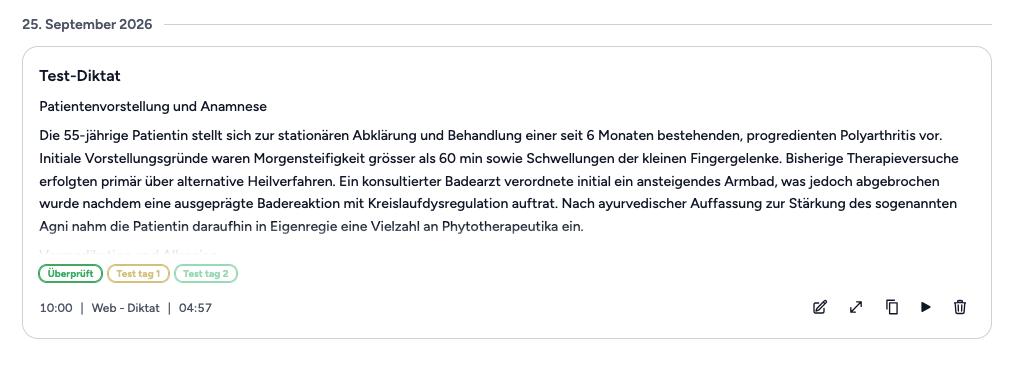
  • UI API Titles and tags for recordings: Recordings in the dictation history can now be given a title and labelled with your institution's tags, and the history can be searched by title — so a recording is easy to Naming and tagging a recording in the dictation history
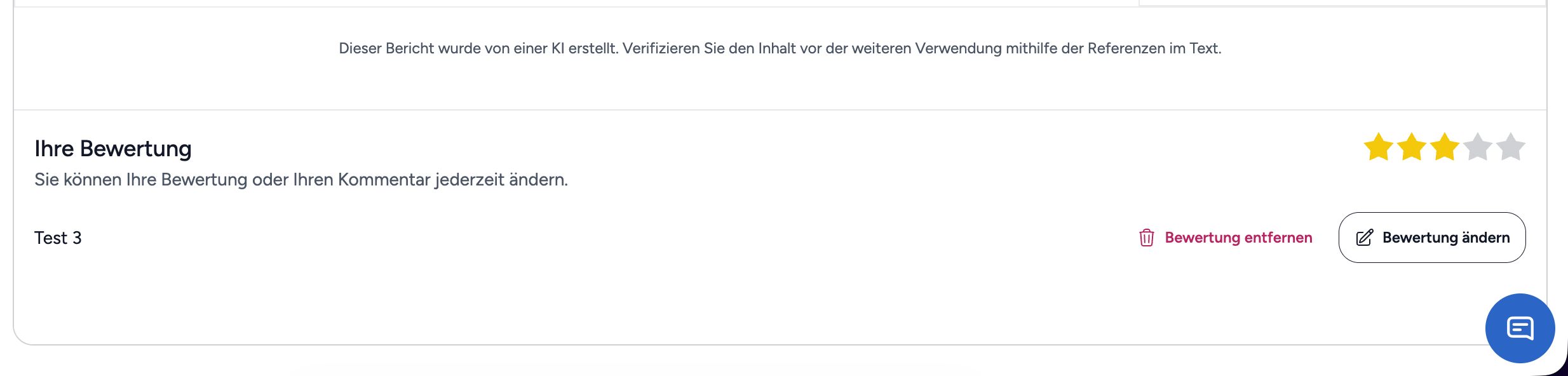
  • UI Editing a report rating: A rating that was already submitted can now be corrected afterwards, or removed again. Changing a report rating
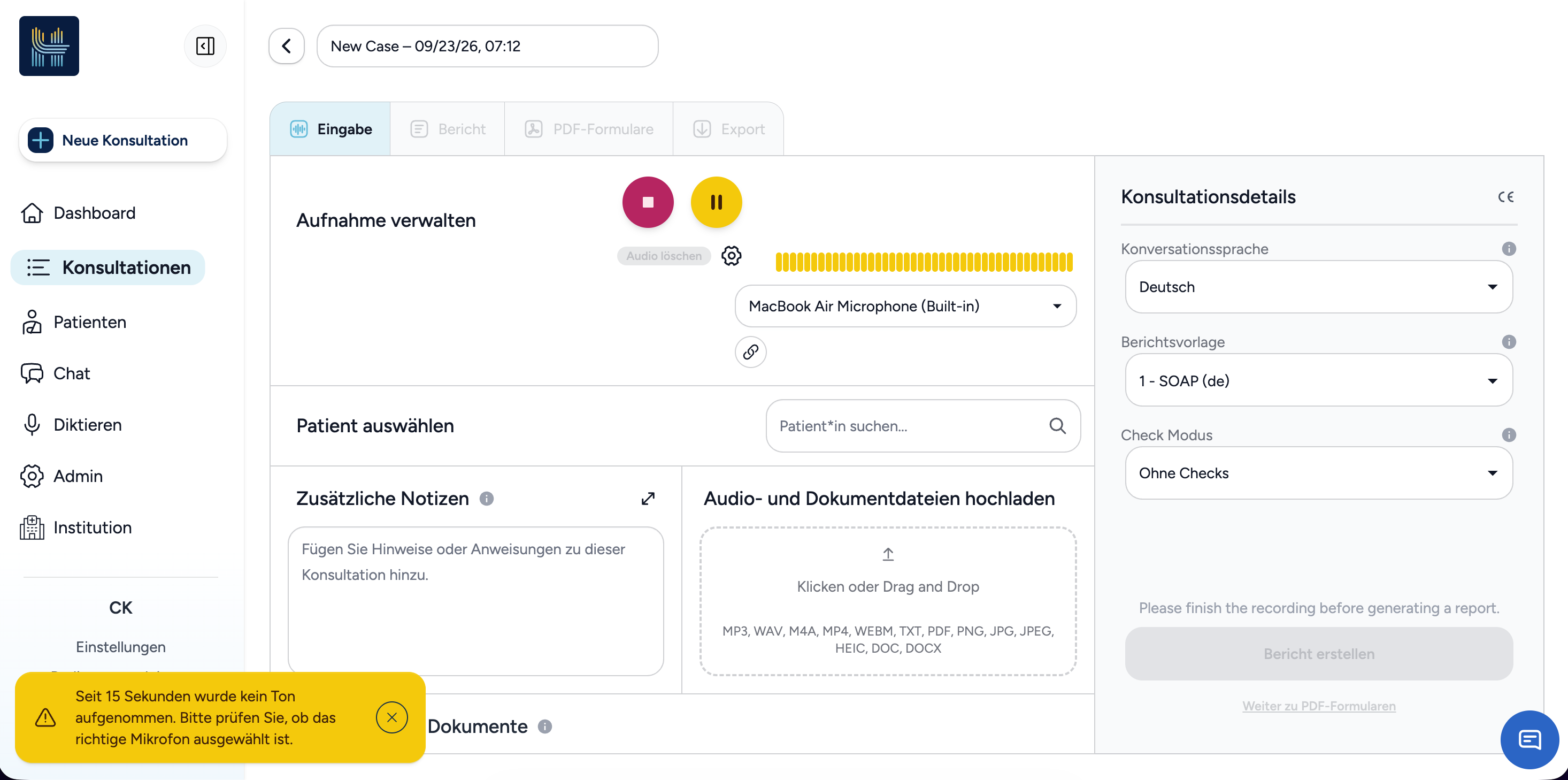
  • UI Warning when the microphone picks up no sound: While recording a consultation, Haidy now points out when no sound has been picked up for a while, so a muted or wrong microphone is noticed early. Warning that no sound is being picked up
Improvements

  • UI Dictation history: Every entry now shows how long the recording lasted and can be opened in the editor to continue working with it.

  • UI API External recordings in consultations: Selecting a recording made with an external microphone now links it to the consultation instead of transcribing it a second time, so it keeps its transcript and no longer looks unused.

  • UI API Audio playback: When playback fails because of the audio output device, Haidy now says so instead of reporting the recording as no longer available, and recordings are delivered through Haidy's own access check.

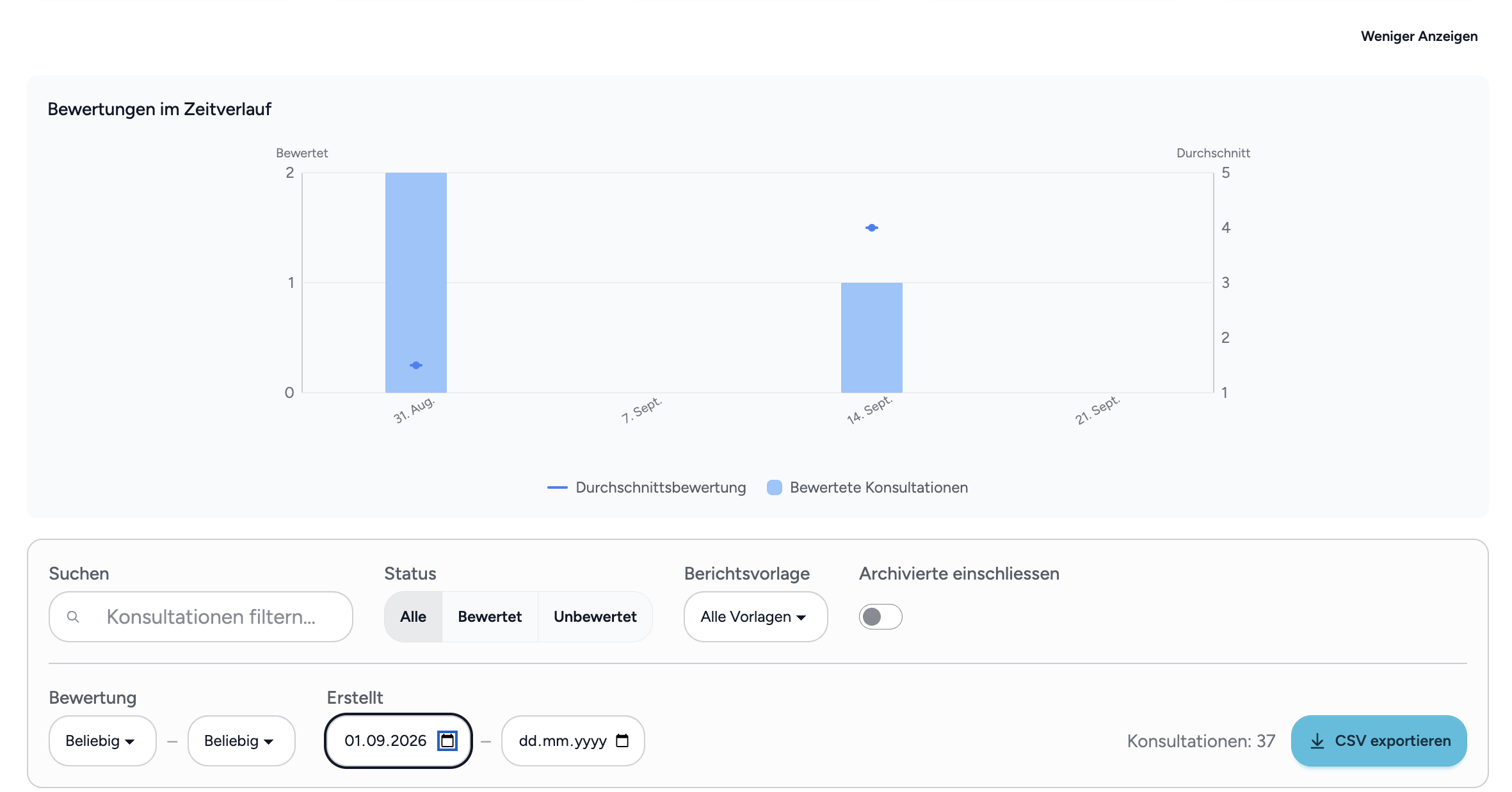
  • UI Ratings over time: The ratings chart in institution analytics no longer draws the average across months without any consultations, and the analytics table has been tidied up. Ratings over time without gaps
  • UI Transcription and report progress: Transcription now shows a progress bar as soon as it starts, and report generation shows a subtle animation while it runs.

  • API Security improvements: We hardened the security of our platform to further reduce the risk of vulnerability exploits.

Bug Fixes

  • UI API Source references in reports: References are now also placed in report passages that contain formatting.

  • UI Writing style: The writing style selected for report generation is now saved correctly.

  • UI API Various smaller fixes: Several smaller text and display issues have been fixed.